

wexy21
You're Boosted!
I bought this:
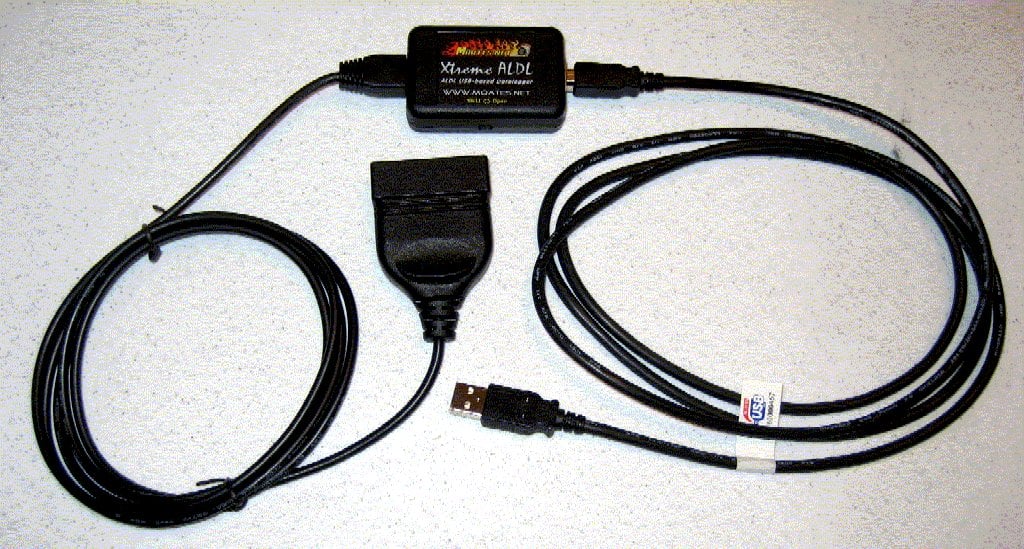
And assumed that the large end goes to the obd port? Right now I'm learning about code 59 and installed tunerproRT on my laptop, installed my wideband 02 and got that working with my plx gauge, wired into the ecu for the wideband and narrowband (seems to be working), installed the moates chip emulator onto the ecu and connected to my laptop, and now want to get the realtime info from my obd. But maybe I'm missing something here. Any help?
I am pretty sure I installed my first tune correctly because before I hooked my laptop up to the truck, I started it and it shot up the idle to 2500rpm and stayed there (after I put the chip emulator on the ecu. Then I shut it down, hooked up laptop, installed tune, and started again. This time it idled just around 900rpm and ran sooo much smoother. I couldn't believe the difference! I wasn't even sure I installed the tune correctly.
So I will be reading everything on here and code50.org to learn how to dial my truck in. But I need some help with this cable.
And assumed that the large end goes to the obd port? Right now I'm learning about code 59 and installed tunerproRT on my laptop, installed my wideband 02 and got that working with my plx gauge, wired into the ecu for the wideband and narrowband (seems to be working), installed the moates chip emulator onto the ecu and connected to my laptop, and now want to get the realtime info from my obd. But maybe I'm missing something here. Any help?
I am pretty sure I installed my first tune correctly because before I hooked my laptop up to the truck, I started it and it shot up the idle to 2500rpm and stayed there (after I put the chip emulator on the ecu. Then I shut it down, hooked up laptop, installed tune, and started again. This time it idled just around 900rpm and ran sooo much smoother. I couldn't believe the difference! I wasn't even sure I installed the tune correctly.
So I will be reading everything on here and code50.org to learn how to dial my truck in. But I need some help with this cable.
![Quickstop [UK]](/data/avatars/m/5/5165.jpg?1570199786)